
Company administrator
You can use the company administrator to manage the authorizations of your employees. This allows you to comply with your company-specific approval processes. The authorizations affect the functions in MyTRUMPF, the TRUMPF E-Shop, the Service App, and other TRUMPF applications. You also have the option of making other users company administrators.
Company administrators can invite employees to their TRUMPF account via an invitation link.
Maintain an overview of the TRUMPF users in your organization and manage their authorizations.
Users with admin rights can be viewed by all employees in an organization. If authorizations need to be changed, the official channels are short.
How to Become a Company Administrator
Open your Account management where you can request the company administrator and view your existing company administrators.
Company Administrator Functions
This is how it works: View and assign authorizations
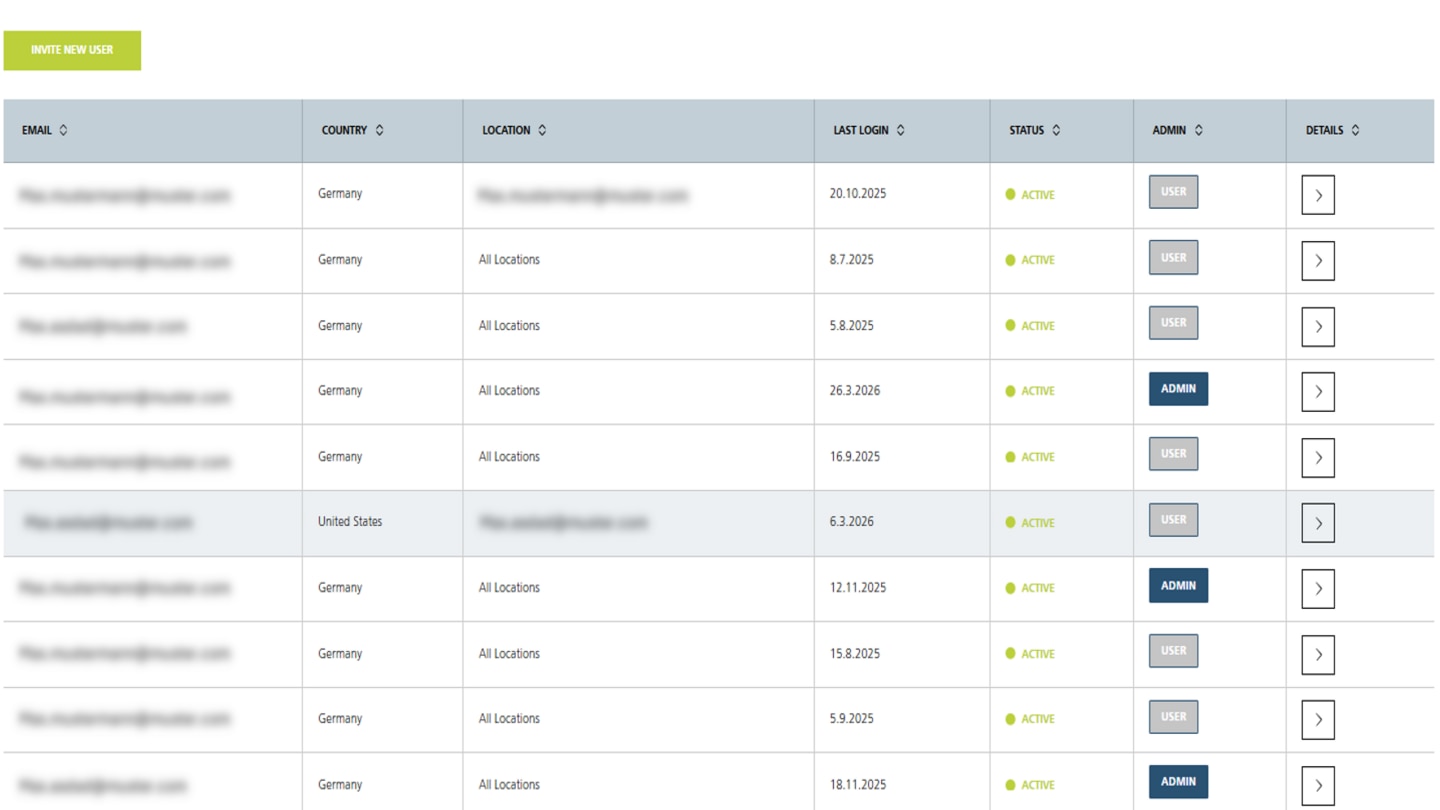
The view from the perspective of a company administrator: In the "User overview" area, you get an overview of all users in your organization, can invite new users, and view their authorizations. You can access the "User overview" area in your account management under "Company admin".
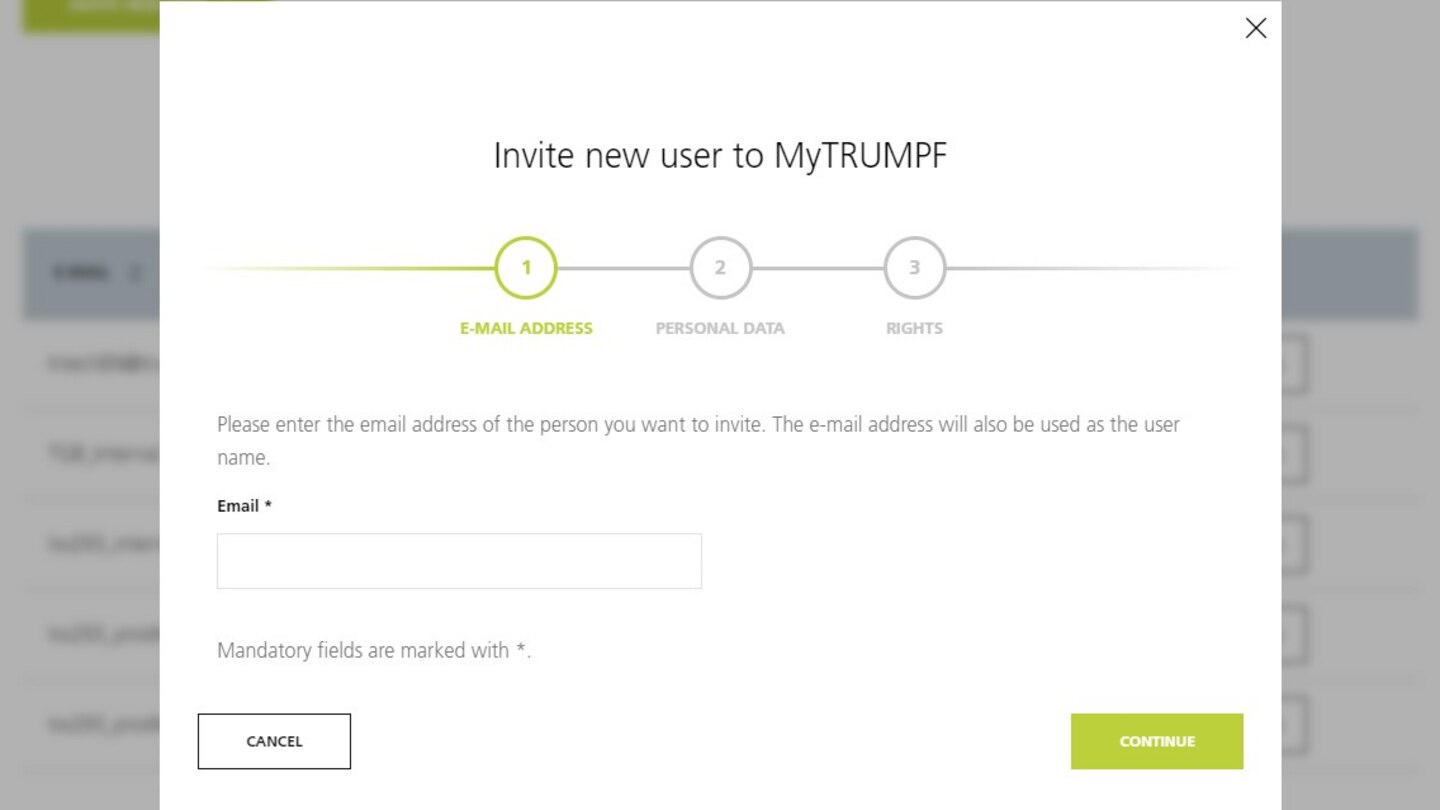
If you want to invite a new user, first enter the e-mail address and then the person's personal data. The invited user will receive an e-mail with further steps for registration and will be assigned directly to your account.
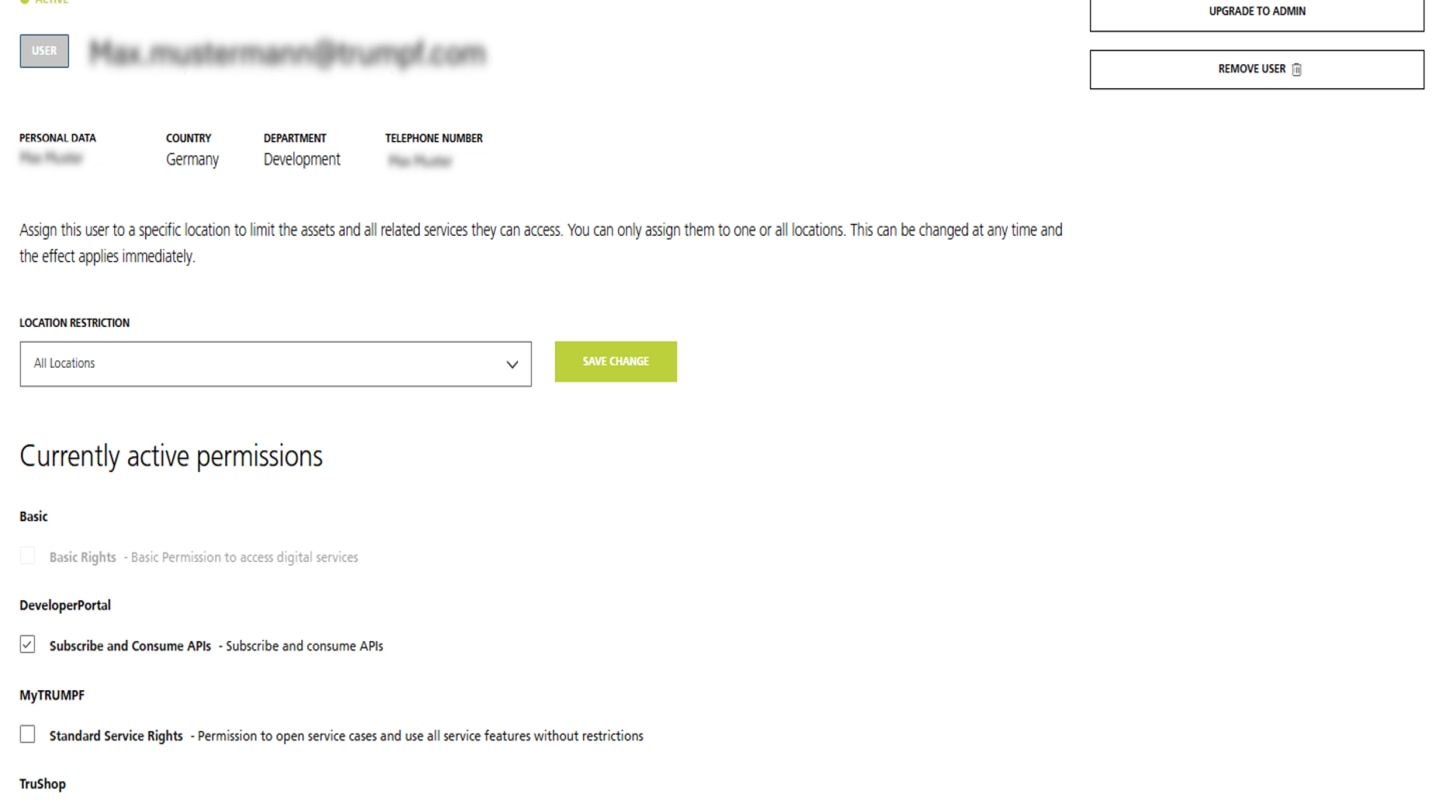
Here you can view and manage the user's authorizations. Inactive users can be removed from your account.
Do you have questions about the company administrator? Our FAQs will help you.
Read our helpful questions and answers about the company administrator role. If you have any further questions, simply contact your local customer service.