
TRUMPF Account Management
Individual, efficient, clear
Registration Process For New Users
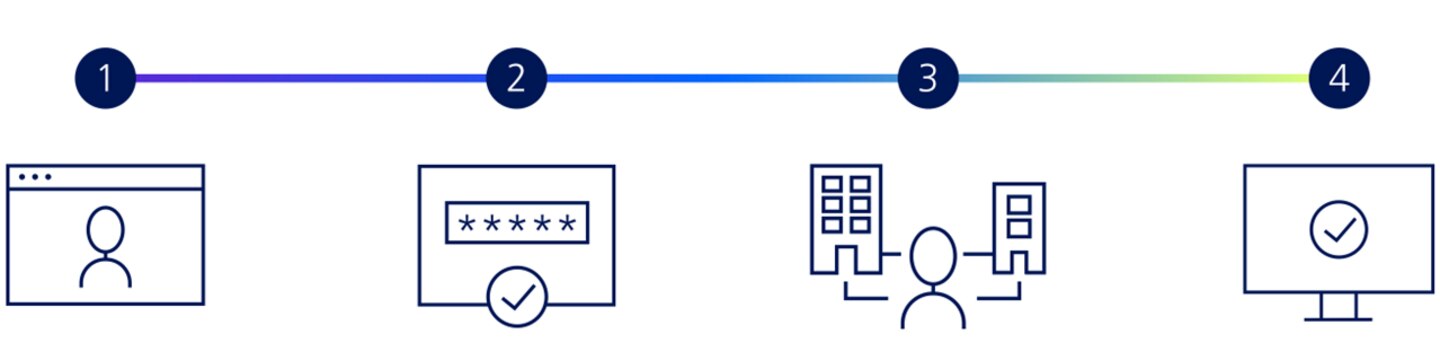
Access your MyTRUMPF account in four steps
1. Register
Complete the registration form and confirm the privacy policy and terms of use.
2. Confirm your email address and set a password
After registering, you will receive an email with a verification link. Confirm your email address via this link and set your personal password. You can then already use MyTRUMPF with the available basic functions.
3. Link your account to your company account
To link your TRUMPF account to your company account, submit a linking request in the "Account Management" section. To do this, go to your profile and click on your name. For the request, you will need either your company's customer number or the machine number of one of your TRUMPF machines.
4. Use MyTRUMPF in the customer context
TRUMPF will then review and confirm your request. Once the link has been approved, you can use MyTRUMPF in the relevant customer context and access the customer-specific functions and information available to you.
Functions
TRUMPF account management not only provides you with a clear overview of all your data, but also the option to adjust it at any time. You can also request for it to be assigned to one or more organizations, and view and apply for authorizations.
Maintain an overview of the TRUMPF users in your organization and manage their authorizations.
Do you need access to multiple organizations? Assign multiple accounts to your user.
Create an OCI link to connect your ERP system to the TRUMPF E-Shop.