If you need access to another organization, you can make a request by selecting the "Account data" menu item in your account management.
Please specify the company name and customer or machine number.

Do you need access to multiple organizations? Assign multiple accounts to your user.
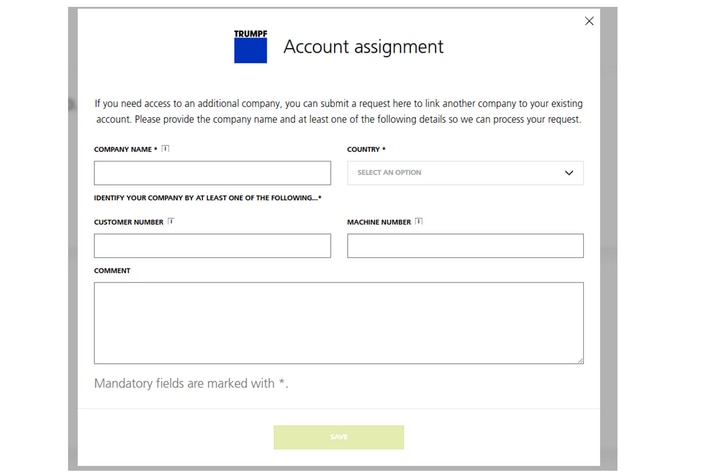
If you need access to another organization, you can make a request by selecting the "Account data" menu item in your account management.
Please specify the company name and customer or machine number.
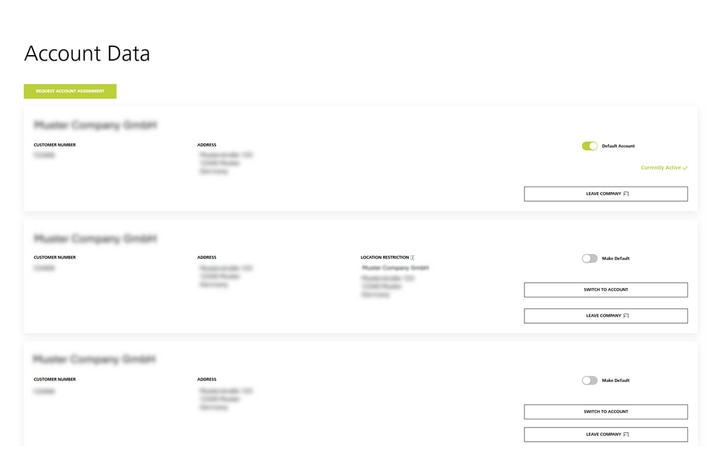
As soon as your user has been linked to the other organization, you can easily switch between the organizations under "Account data" or in your profile.
Under "Account data" you can also specify which company account you would prefer to have priority access to.